A property, not a pile of forms.
Move through familiar spaces. In your walkthrough, the visual room map and checklist show what you’ve documented and what’s still to do.
Report & pricingExplore your rental’s depreciation potential, then build a photo-based property review from your phone.
Four property details. No photos, account, or card needed.
Save rooms, photos, and findings. Free account. Preview before purchase.
Watch a kitchen photo become an asset checklist.
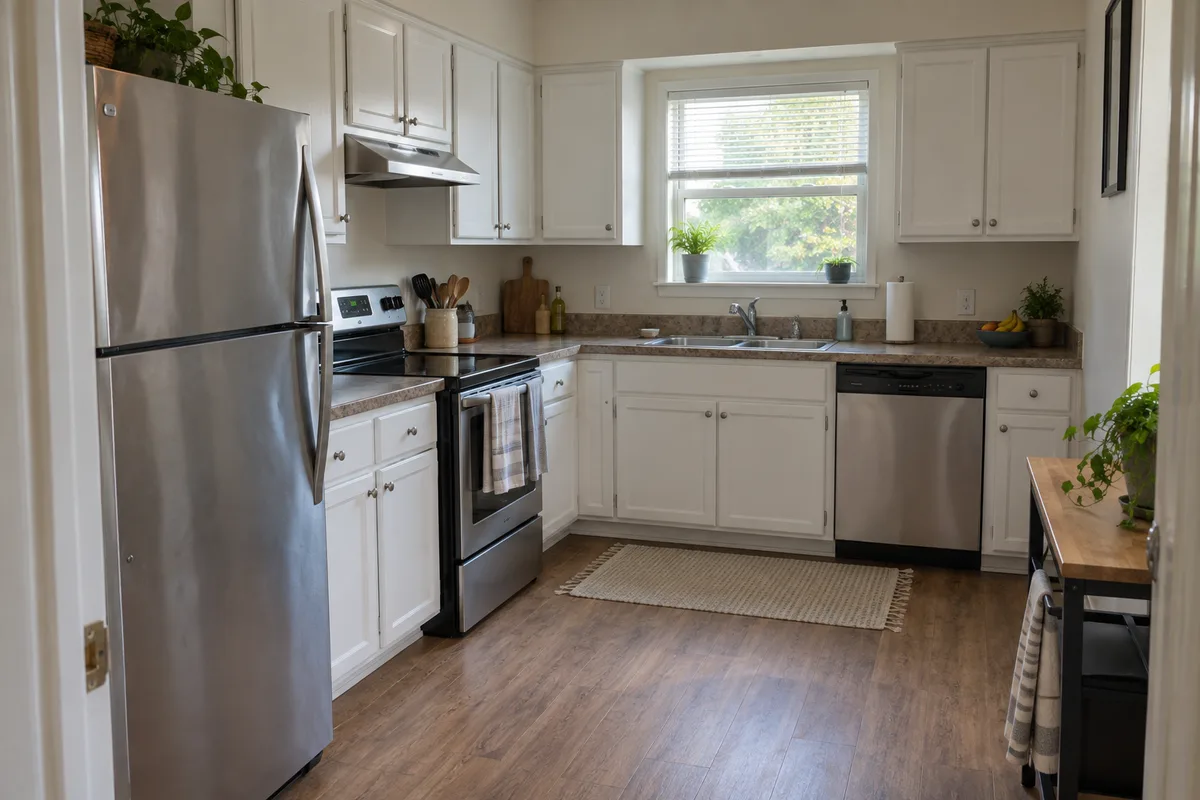
3 suggested assets. Ready for your review.
One rental or a growing portfolio.
Short-term rentalsSingle-family homesDuplexes to fourplexesCost segregation considers which property components may be depreciated sooner than the building. Start with what you know, then prepare a clear record for your tax professional.
View sample reportAdd your property basics. Save your progress and return when you’re ready.
Add photos or descriptions for rooms, units, and shared outdoor spaces. Review the suggested components.
Correct or add assets, complete your property and tax facts, and gather supporting records.
Your saved analysis preview is free. A one-time purchase unlocks the report package. No subscription.
Your property facts, reviewed assets, and supporting evidence. Organized into a package you can share with your tax professional.
What’s included, who it suits, and what to prepare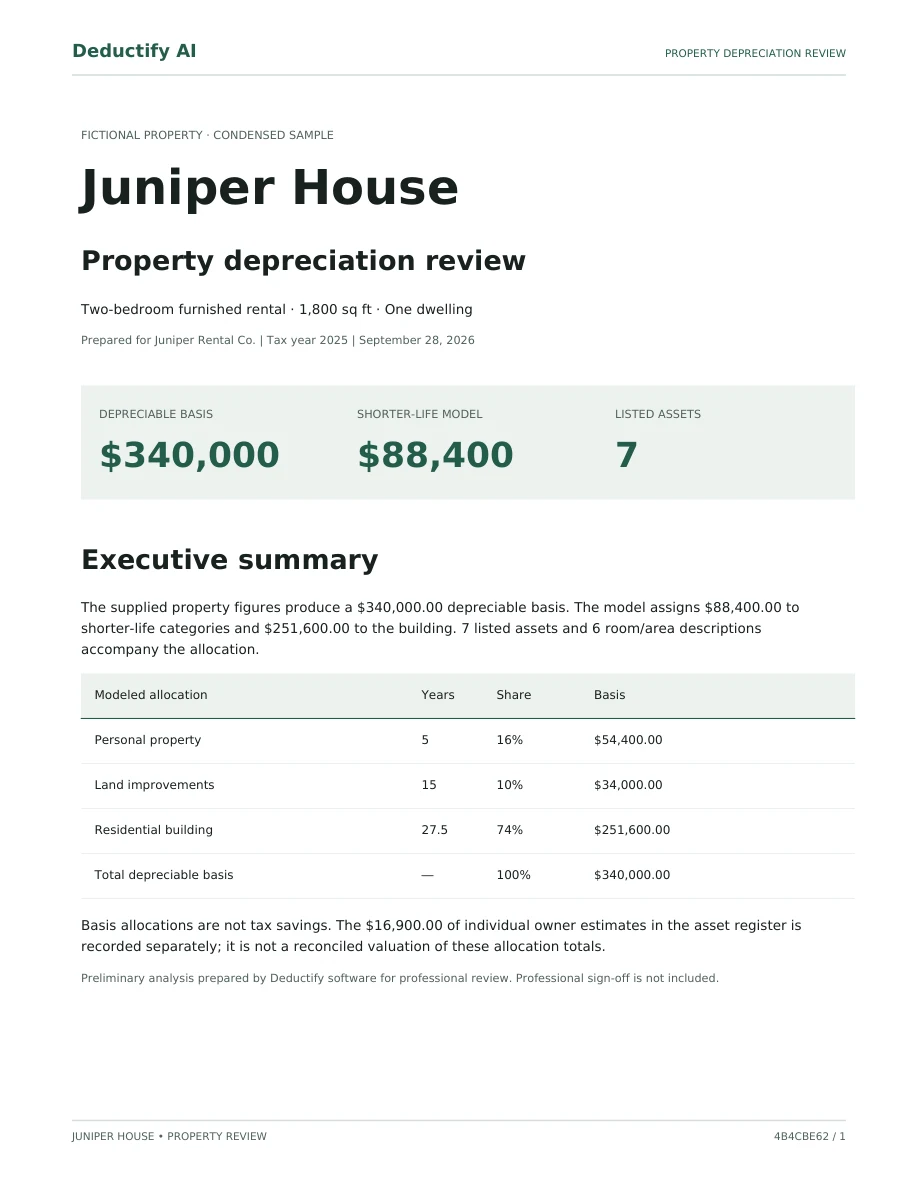
Juniper House. Fictional property, actual report format.
You can save the guided review and return as you gather the details.
Loading current price…
Once your analysis is complete, download your report package after payment is confirmed.
Your tax situation is unique. Review your report with your tax professional to apply it to your return.
Deductify provides AI-assisted preliminary analysis, not a signed or filing-ready study. Professional sign-off and tax preparation are not included.
Allocations use property information and percentage-based assumptions adjusted for features and item counts. Photos help identify components; they do not establish their value. Entered item costs support review but do not determine the allocation totals.
Free account, saved guided review, and analysis preview. Pay only for the report package. No subscription.
Questions before you begin? Contact Deductify
Move through familiar spaces. In your walkthrough, the visual room map and checklist show what you’ve documented and what’s still to do.
Report & pricingChoose a room. Watch its components light up, then the whole room when the scan is complete.
Upload photos or describe your kitchen. AI suggests potential assets, such as appliances and removable shelving, for you to check.
Generate your preview, then purchase a PDF report and asset CSV with modeled allocations, assumptions, and an evidence index to share with your tax professional.
Describe the things you recognize. Deductify matches known component names into your room’s item list, ready for you to check.
Deductify was built by a software engineer and real-estate investor who personally went through cost segregation. The opportunity was useful. The process could be expensive, tedious, and hard to follow.
The idea behind Deductify is simple: let owners share what they know, and let software do more of the organizing. Less time translating your property into technical language. More clarity about what comes next.
Damian M. Founder, software engineer & rental-property investorAsk us about your propertyThe free estimator uses four property details, not photos, and needs no account. For photo-based review, create a free account to save your rooms, findings, and analysis preview. Payment is only required to unlock the PDF, asset CSV, and evidence download for one saved analysis. No subscription. See current package pricing.
Complete the guided inputs and review your analysis preview first. After your payment is confirmed, open the report package from your account to download the PDF, asset CSV, and evidence bundle. You don’t need to wait for an email to access it. If a payment is still processing, check its status instead of paying again.
Your tax situation is unique. Review your report with your tax professional to apply it to your return. They can confirm cost support, classifications, and filing requirements for your property.
Deductify provides AI-assisted preliminary analysis, not a signed or filing-ready study. Professional sign-off and tax preparation are not included.
You can edit quantities and descriptions, remove duplicates, and manually add assets before generating the analysis. Upload distinct photos and keep each room’s evidence together to make your review easier.
Yes. Use your mobile browser to add photos, describe spaces, and review findings. Photos can be JPEG, PNG, or WebP, up to 10 MB each. Check the saved status before leaving; continue from your dashboard when your purchase details and records are handy.
Download the report, asset CSV, and evidence bundle from your account and share them securely with your tax professional. The report records a saved version of your analysis. If you spot an error after it is issued, contact us before purchasing another report.
Get a planning estimate from four property details. No photos, account, or card needed.