Purchase and rental details
Have your purchase price, land value, and the date the property was ready to rent handy. Closing documents can help you check those amounts.
A guide for rental owners
Explore the report format and prepare your property details. Review your free analysis preview before deciding to buy.
Your property facts, reviewed assets, and supporting evidence. Organized into a package you can share with your tax professional.
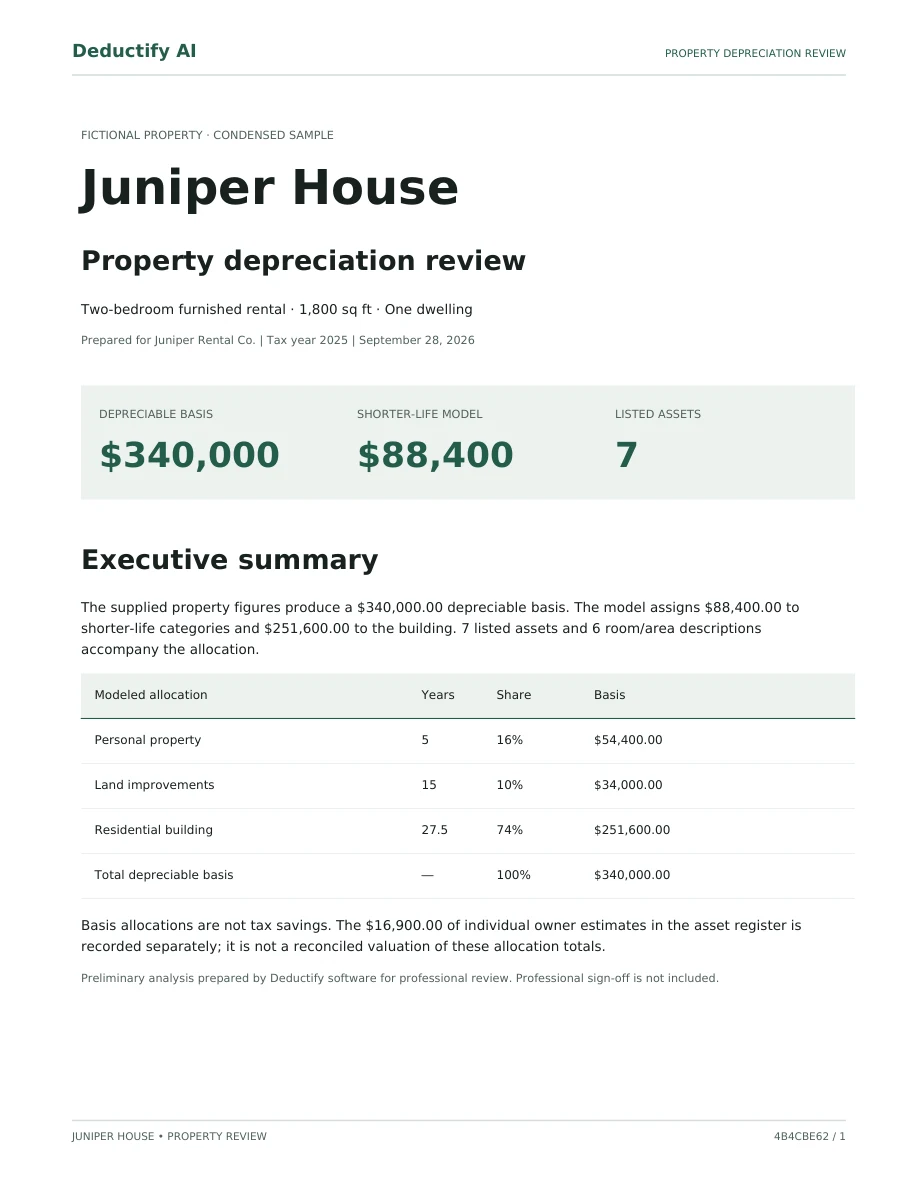
Juniper House. Fictional property, actual report format.
You can save the guided review and return as you gather the details.
Loading current price…
Once your analysis is complete, download your report package after payment is confirmed.
Your tax situation is unique. Review your report with your tax professional to apply it to your return.
Deductify provides AI-assisted preliminary analysis, not a signed or filing-ready study. Professional sign-off and tax preparation are not included.
Allocations use property information and percentage-based assumptions adjusted for features and item counts. Photos help identify components; they do not establish their value. Entered item costs support review but do not determine the allocation totals.
Free account, saved guided review, and analysis preview. Pay only for the report package. No subscription.
Questions before you begin? Contact Deductify
No card is needed to create an account and prepare your analysis preview.
Save your property details, add room photos or descriptions, and confirm the suggested assets. Complete the required facts and records checklist.
See your analysis preview, package contents, current price, and purchase terms before deciding whether to buy.
Payment unlocks the PDF report, asset CSV, and evidence download for that saved analysis. Download from your account after payment is confirmed, without waiting for an email.
Photos make identifying visible components easier. Purchase details and supporting records still matter.
Have your purchase price, land value, and the date the property was ready to rent handy. Closing documents can help you check those amounts.
Gather distinct room photos or descriptions, plus receipts or other cost support for furnishings and improvements. Keep each room’s evidence together.
The guided review asks about ownership, rental use, and depreciation details. You can save and return while confirming information with your tax professional.
You don’t need to upload every document to get started. Save your progress while you gather records; redact sensitive information before uploading a copy.
Know the service scope before investing your time.
Built for independent owners of single-family rentals, short-term rentals, duplexes, triplexes, and fourplexes.
You provide and verify the property information. Deductify helps suggest visible components, organize your findings, and produce a preliminary analysis package.
Deductify provides AI-assisted preliminary analysis, not a signed or filing-ready study. Professional sign-off and tax preparation are not included.
If you need a professionally signed study, specialist inspection, or audit-defense engagement, arrange that with an appropriate provider before relying on a report.
Yes. The free cost segregation calculator asks for four property details and returns a planning estimate. It does not analyze photos or create a full report. Its answers do not transfer into the account-backed review.
No. Room photos can generate suggestions for visible components, and familiar descriptions help build your starting list. You check quantities, remove duplicates, and add anything missing before generating the analysis.
No. A photo helps identify what is visible; it does not verify ownership, cost, or tax eligibility. Supporting records and your tax professional help confirm those details. The package’s calculation method is explained above.
Review its property facts, modeled allocations, assumptions, asset schedule, and evidence references. The sample uses a fictional property in the actual report format. You can share it with your tax professional before buying to discuss whether this scope meets your needs.
Ask Deductify about the package before starting. Tell us the property type and what you need from the report, without emailing tax documents or other sensitive records. For advice about your tax situation, ask your tax professional.
Save your rooms, photos, and findings in a free account. No card needed to start.